
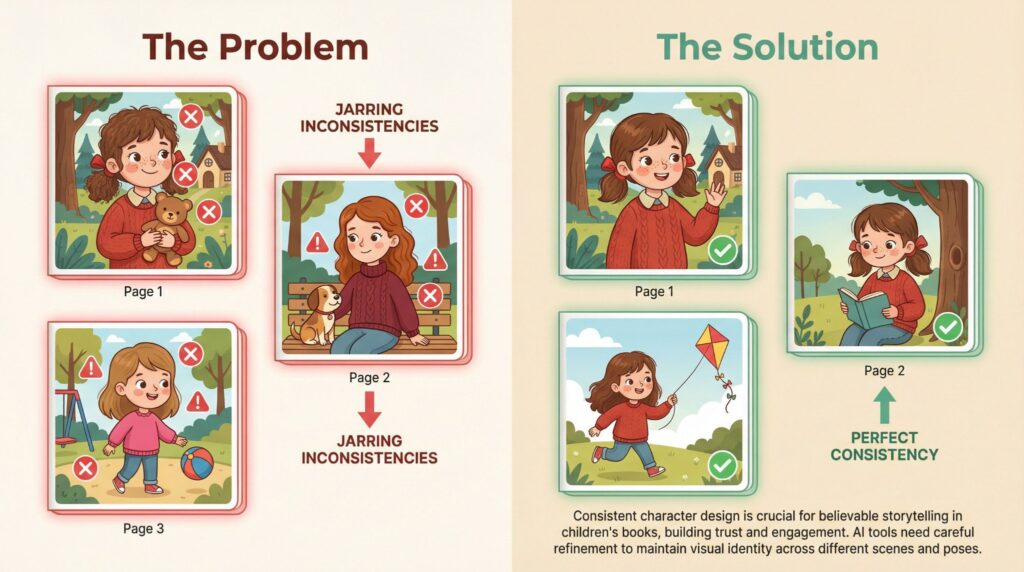
If you’ve ever tried using AI to illustrate a children’s picture book, you’ve probably hit the same wall that frustrates thousands of creators every day: your main character looks perfect on page one, then completely different on page two.
The hair changes. The outfit shifts colours. The face transforms into someone else entirely. By page five, you’re basically illustrating a book about shapeshifters, and that wasn’t the story you wrote.
This is the character consistency problem, and it’s the single biggest obstacle standing between aspiring authors and their finished picture books. The good news? AI tools fine-tuned specifically for character consistency now exist, and they don’t require you to become a prompt engineering expert to use them.
This guide breaks down what these tools actually do, why they matter for picture book creators, and how to use them effectively without getting lost in technical complexity.
What Makes Consistent Character AI Different?
Most AI image generators treat every prompt as a blank slate. They don’t remember what they drew five minutes ago. When you type “Emma running through the forest” after generating “Emma standing in the garden,” the AI isn’t thinking “ah yes, that Emma.” It’s creating a brand new interpretation of your description.
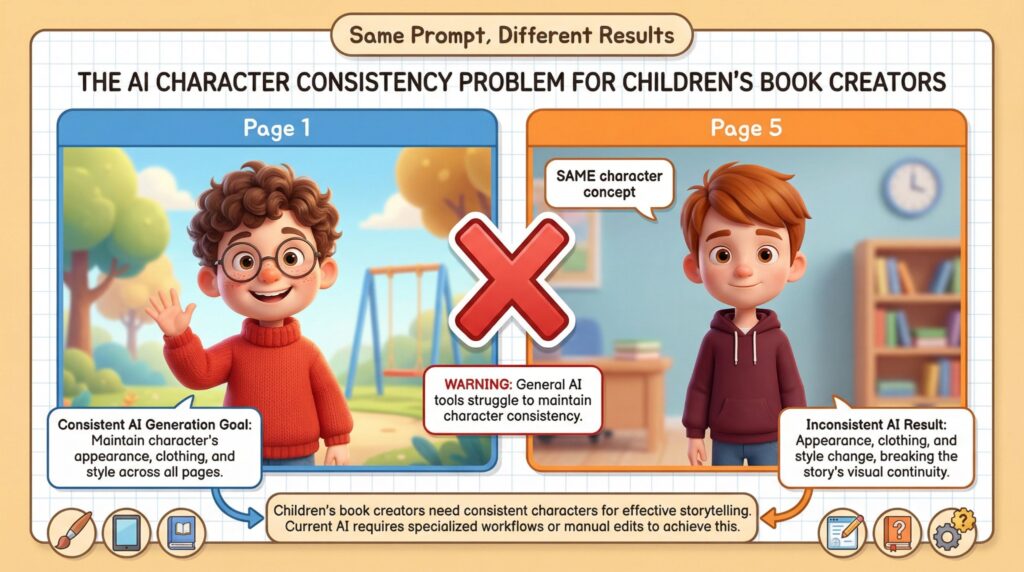
AI tools fine-tuned for character consistency work differently. They maintain what we call “character DNA”: the core visual elements that make your character recognizable.
Facial features, body proportions, distinctive clothing, accessories. Once these elements are established, the AI maintains them regardless of what action, expression, or background you request.
Think of it this way: general AI image generators are like hiring a different artist for every page of your book. Each one interprets your description slightly differently. Character-consistent AI is like having a single dedicated illustrator who knows your character inside and out.
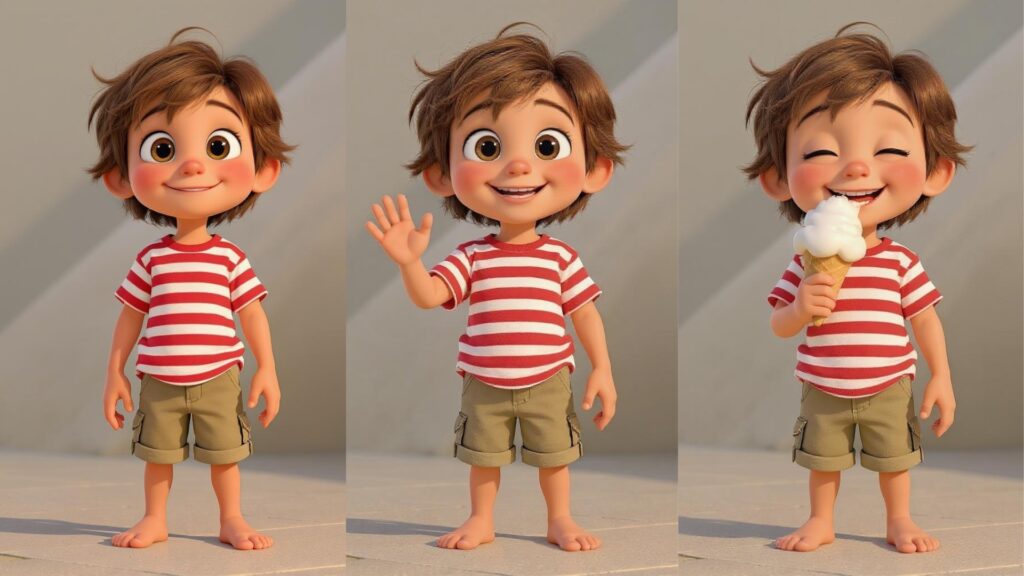
The best part? The best of these tools feel invisible. You don’t think about the technology, you just create. You describe what’s happening in your story, and the tool handles keeping your character looking like themselves.
Why This Matters for Picture Books
Children’s books aren’t just about pretty pictures. They’re about emotional connection. When a child follows Emma through her adventure in the magical forest, they’re bonding with that specific Emma: her brown pigtails, her yellow raincoat, her curious expression.
If Emma suddenly has blonde hair on page seven, that connection breaks. The story loses its magic. And practically speaking, your book looks unprofessional.
Here’s what’s at stake:
Reader immersion disappears. Kids notice everything. They’ll point out that “Emma looks different” faster than any adult would. Once that spell breaks, it’s hard to get back.
Your book screams “AI-generated.” Inconsistent characters are the most obvious tell that a book was illustrated with artificial intelligence. Readers, reviewers, and Amazon algorithms can all spot this quality issue.
Series potential evaporates. If you can’t keep a character consistent within one book, building a recognizable brand across a series becomes impossible. Yet series are where real publishing income lives.
Professional credibility suffers. Whether you’re self-publishing on Amazon KDP or pitching to traditional publishers, inconsistent illustrations signal amateur work.
The bottom line is this: if you want your children’s picture books to earn 5-star reviews and become bestsellers, you need AI tools built for character consistency from the ground up.
How These Tools Actually Work
You don’t need to understand the technical details to use these tools effectively, but knowing the basics helps you work smarter.
Reference Image Anchoring
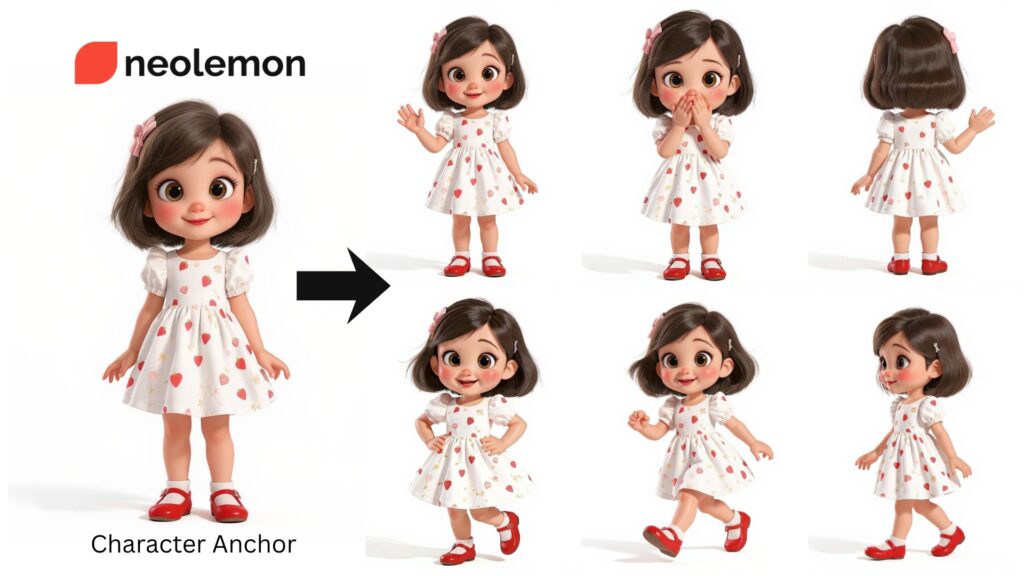
You generate or upload a base image of your character, typically a full-body front view with a neutral background. The AI uses this as a visual anchor for everything that follows. When you request “Emma running through the forest,” the system cross-references your new prompt against the original Emma to keep facial features, colors, and proportions locked.
Character Libraries
The best tools let you save characters to a library. Once saved, you can pull that exact character into any new scene without re-describing them from scratch. This prevents the drift that happens when you accidentally phrase things slightly differently each time.
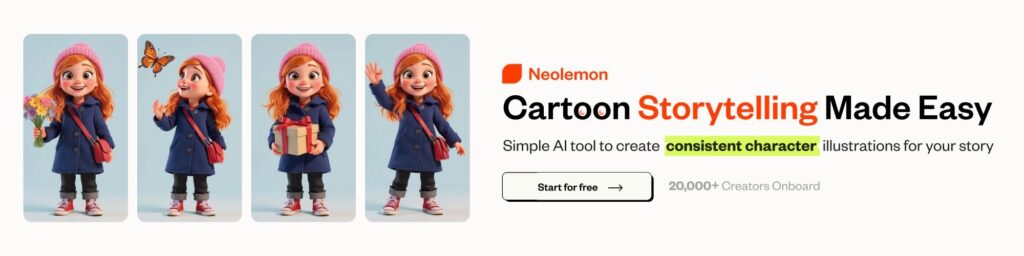
Neolemon was built specifically around this principle, fine-tuned for picture book illustration with an interface designed for storytellers, not software engineers. No complex menus. No AI expertise required. Same face, same proportions, same details, every single scene. You stay in your creative flow and focus on what actually matters: your characters, your world, your narrative.
Structured Input Fields
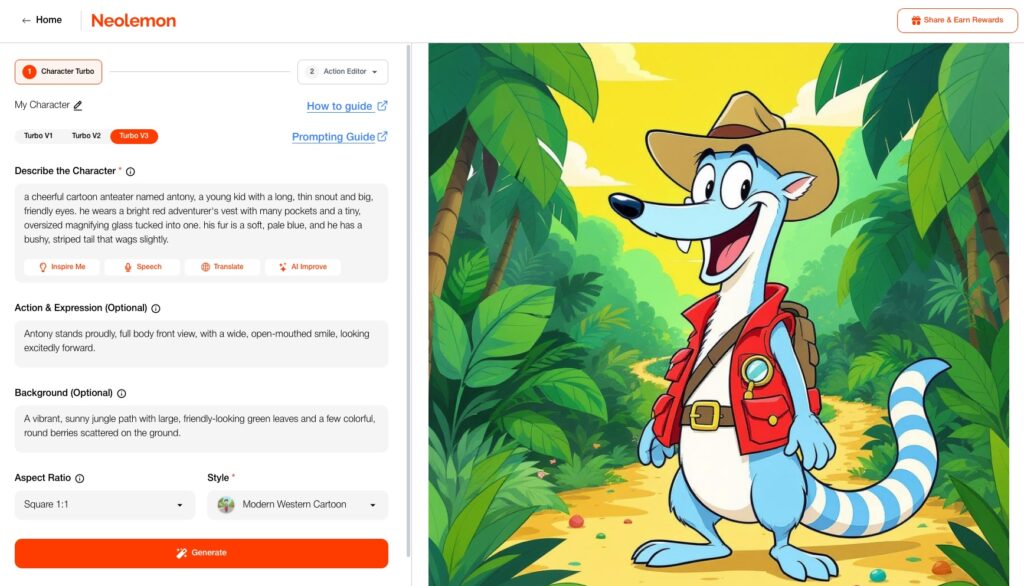
Rather than dumping everything into a single text box, well-designed tools separate your input into distinct categories: character description, action, background, and style. This separation ensures the AI knows which elements should change (the action and setting) and which should stay constant (the character’s appearance).
Common Mistakes That Break Consistency
Even with the right tools, a few habits cause problems:
Starting with Complex Poses
Many creators jump straight into action scenes, their character mid-leap or from a dramatic angle. This backfires because the AI doesn’t have a clear baseline to maintain.
What works: Always start with a full-body, front-facing view on a plain background. This becomes your character’s “model sheet” and serves as the reference that all future images build from.
Over-Describing Your Character
It seems logical that more detail equals more consistency. In practice, the opposite is true. When you describe fifteen different features, even fine-tuned AI struggles to maintain all of them.
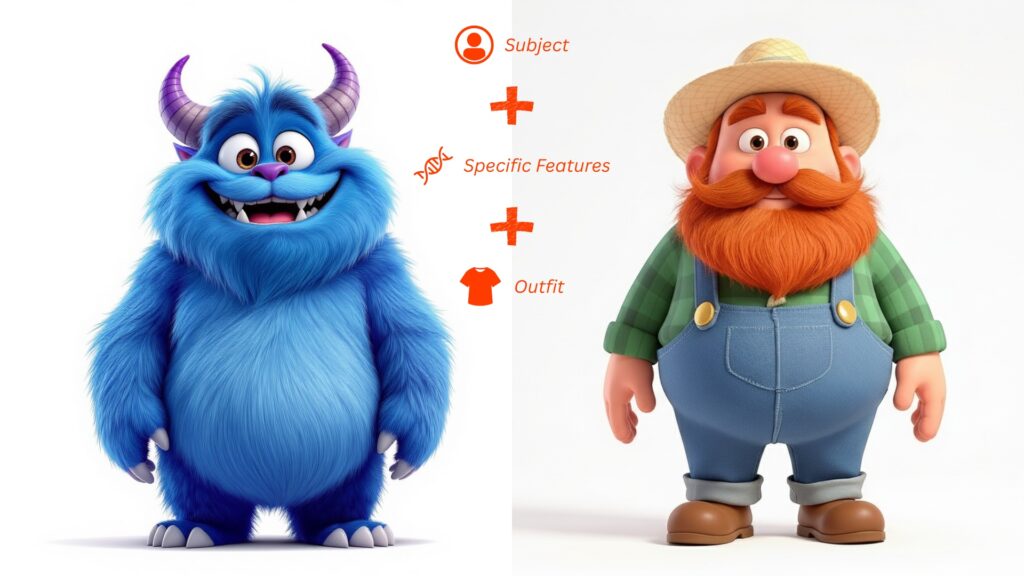
What works: Focus on two or three distinctive, memorable features. Think about iconic animated characters. Woody from Toy Story is defined by his cowboy hat, vest, and sheriff badge. Not by a paragraph of specifications.
Using Negative Language
“No glasses, no beard, no hat” might seem like helpful clarification. But AI image generators sometimes interpret “no glasses” as a reason to add glasses, since you brought the concept into the prompt.
What works: Use only positive descriptions. Say “clean-shaven” instead of “no beard.” Describe what your character has, not what they’re missing.
Switching Tools Mid-Project
Every AI system interprets prompts differently. Your character in one tool won’t look the same in another, even with identical descriptions.
What works: Commit to one tool for your entire project. Test your workflow with a few sample images before illustrating all 24 pages.
Forgetting Style Consistency
Your character’s face might stay identical, but if page one has soft watercolors and page three has sharp cel-shaded lines, the book feels disconnected.
What works: Lock in your art style alongside your character. Good tools let you select a style preset (Pixar-inspired, watercolor, anime, etc.) that applies uniformly across all generations.
A Simple Workflow That Works
With the right tool, this process is simpler than you’d expect:
Step 1: Define Your Character
Before generating anything, write out your character’s core visual identity:
- Age and body type: “6-year-old girl, average height for her age”
- Two or three distinctive features: “Curly red hair in pigtails, freckles across nose”
- Signature outfit: “Yellow raincoat, blue rain boots”
Keep it simple. This becomes your reference.
Step 2: Generate Your Base Image
Create a full-body, front-facing image on a plain background. This is your model sheet. Don’t move forward until you love it.
Step 3: Save to Your Library
Lock in your character so you won’t need to re-describe them for every scene.
Step 4: Generate Your Scenes
Work through your story systematically. Describe what’s happening, the character running, sitting, laughing, and let the tool maintain their identity. You focus on storytelling. The tech handles consistency.
Step 5: Quality Check
View all your illustrations in sequence. If anything drifted, regenerate those specific images using your original reference.
Step 6: Upscale for Print
Most AI images generate at screen resolution. Children’s picture books need 300 DPI at print size. Use your tool’s upscaling feature before exporting final images.
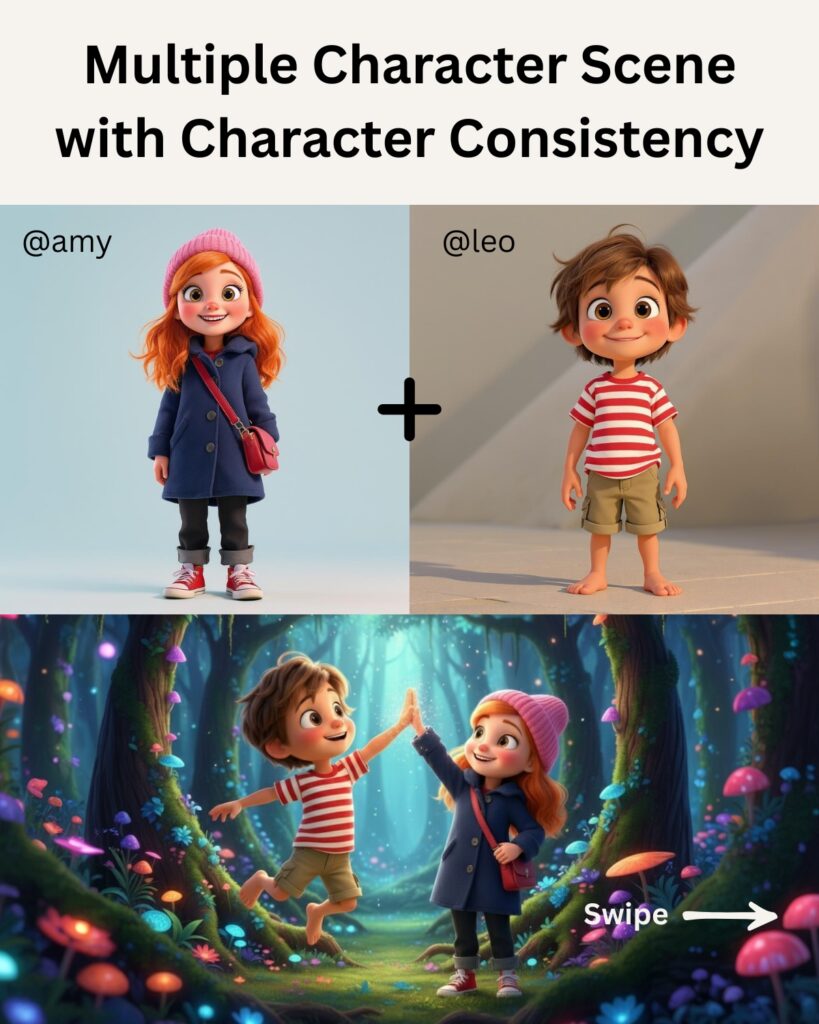
Multi-Character Scenes
Many picture books feature two or more recurring characters. The key: treat each character as a separate project first.
Create each character’s base image individually. Save them to your library independently. Only then begin composing multi-character scenes using ‘Multi-Character’ Consistency in Neolemon, which is specially designed for this.
When prompting for scenes with multiple characters, reference each by name. Best character consistency tools like Neolemon support @mentions or similar syntax to specify exactly which saved character should appear where.
Realistic Expectations
These tools have advanced dramatically, but they’re not magic. Here’s what you can expect:
Works well:
- Maintaining a single character across 20-30+ images
- Generating various poses, expressions, and actions
- Keeping clothing and accessories consistent
- Cartoon, illustration, and stylized art styles
Requires more care:
- Extremely complex character designs with many small details
- Photorealistic styles
- Dynamic multi-character interactions
You’ll still handle:
- Quality control and occasional regeneration
- Final composition and layout
- Text placement and typography
- Print formatting
AI handles the heavy lifting. You remain the creative director.
The Economics
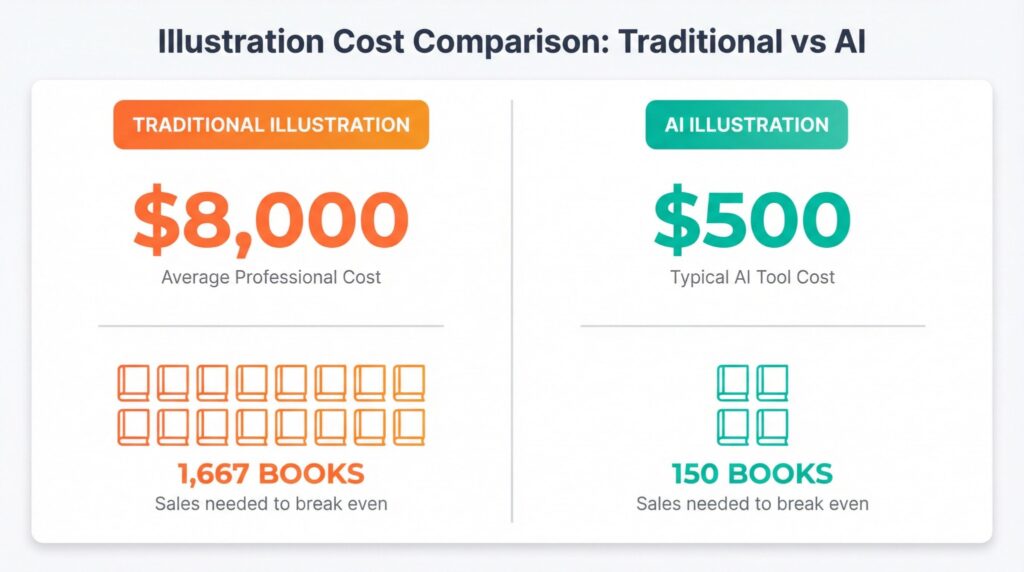
Traditional children’s book illustration costs $3,000 to $20,000 for a complete picture book. That’s a real barrier for authors testing whether their stories resonate.
With the right AI tools, you’re looking at under $500 in most cases, enough to create and publish several books in a few months time, sometimes with just a monthly subscription. For example, AI tools designed specifically for creating and publishing kids picture books like Neolemon costs just $29/month. What once required months of back-and-forth with illustrators now happens in days. This exactly how Naomi Goredema completed 20 illustrated kids picture books in just four months.
This doesn’t make illustration effortless. You’re still directing the creative process. But the barrier drops from “impossible for most people” to “accessible with reasonable effort.”
For Amazon KDP self-publishers, when illustration costs drop 95%, breaking even happens at 100 sales instead of 1,000. You can afford to publish more books, test more ideas, and build the multi-title catalog that generates sustainable income.
Getting Started
Ready to try this for your picture book? Here’s my honest advice:
Pick a tool built for storytellers, not engineers. The best tool isn’t the one with the most features, it’s the one that gets out of your way and lets you focus on your story. You shouldn’t need a tutorial series just to generate your first character.
Start simple. Your first AI-illustrated book shouldn’t be a 48-page epic with seven main characters. Choose a short story with one or two characters. Learn the process on low stakes.
Create characters before scenes. Nail down exactly how everyone looks before generating any story illustrations.
Join a community. Reddit’s self-publishing groups, Facebook communities for children’s book authors, these places are goldmines for tips. Someone has already solved whatever problem you’re about to encounter.
Trust the process. Your first attempts won’t be perfect. But with the right tool, iteration is fast and the learning curve is gentle. Most creators are producing quality illustrations within their first session.
The technology exists. Over 20,000 creators are already using tools like Neolemon to bring their stories to life. The workflows are simple. The results are professional.
Your story deserves to be illustrated. Now it can be.