
The way creators produce video content has fundamentally changed. A few years ago, the standard workflow involved shooting footage on a dedicated camera, transferring files to a laptop, editing in desktop software, and exporting the final product for upload. That process worked, but it was slow, equipment-dependent, and tied to a specific physical setup. For creators who needed to publish frequently and respond quickly to trends, it was a bottleneck.
Today, a growing number of content creators are building their entire video workflow on their phones. From ideation and capture to editing, generation, and publishing, every step happens on a device that fits in a pocket. This is not a compromise or a shortcut. For many creators, a mobile-first workflow is faster, more flexible, and produces results that are indistinguishable from desktop-produced content. Understanding how to structure that workflow effectively is what separates creators who post consistently from those who struggle to keep up.
Building a Mobile Video Workflow From Capture to Publish
A practical mobile workflow typically follows five stages: ideation, asset gathering, content generation, editing, and publishing. Ideation can happen anywhere — a notes app, a voice memo, or a quick sketch in a drawing tool. Asset gathering means capturing or collecting the raw material you need, whether that is filming a clip, taking photographs, or pulling images from your existing library.
The content generation stage is where AI-powered tools have made the biggest impact on mobile workflows. Instead of being limited to the footage you physically recorded, you can now transform still photographs into dynamic video content directly on your phone.
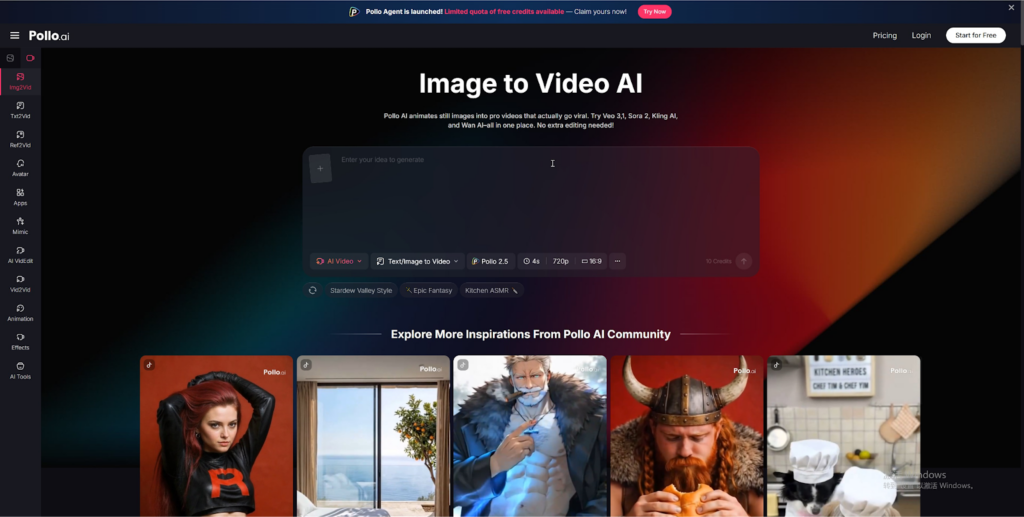
Pollo AI offers an image to video feature that lets creators upload any photograph and generate a cinematic video clip from it, complete with natural camera movement and atmospheric depth. For mobile creators, this capability is transformative. A single photograph taken during a morning walk can become a polished video clip ready for posting, without ever opening a traditional editing app. The entire process — from uploading the image to receiving the finished video — happens on the phone in minutes.
This approach also solves one of the most common frustrations mobile creators face: not having enough footage. Even the most disciplined creator misses shots, forgets to record, or finds that a moment was better captured as a photo than a video. With image to video conversion available on mobile, your camera roll becomes an unlimited source of video content rather than a static archive.
Editing on mobile has matured significantly as well. Apps now offer timeline-based editing, text overlays, color correction, and audio mixing that would have been desktop-exclusive features just a few years ago. The final stage, publishing, is where mobile workflows have always had an advantage. Posting directly from the device where the content was created eliminates file transfers, format conversions, and the friction that comes with moving between systems.
Key Strategies for Efficient Mobile Video Production
Building a workflow is one thing. Making it efficient enough to sustain over weeks and months is another. Several strategies can help mobile creators maintain consistency without burning out.
Batch creation is one of the most effective approaches. Instead of producing one video at a time, dedicate a focused session to creating multiple pieces of content. This might mean spending a Sunday afternoon generating five video clips from your best photos of the week, writing captions for all of them, and scheduling them for publication across the following days. Batching reduces the mental overhead of switching between creative and administrative tasks, and it ensures you always have content ready to post even during busy periods.
Organization is equally important. Create a dedicated folder structure on your phone for raw assets, works in progress, and finished content. Use cloud storage to back up everything automatically so that a lost or damaged phone does not mean lost content. Label files with dates and topics so you can find what you need quickly when assembling a video or pulling assets for a new project.
Publishing directly from your phone is one of the greatest advantages of a mobile workflow, but it requires awareness of platform-specific requirements. Instagram Reels demand vertical 9:16 video. YouTube Shorts have their own length and formatting preferences. TikTok rewards certain pacing and visual styles. Knowing these specifications before you start creating — rather than discovering them at the publishing stage — saves time and prevents the frustration of reformatting content after the fact.
For creators who want to keep their entire workflow on mobile, having the right apps installed makes a significant difference.
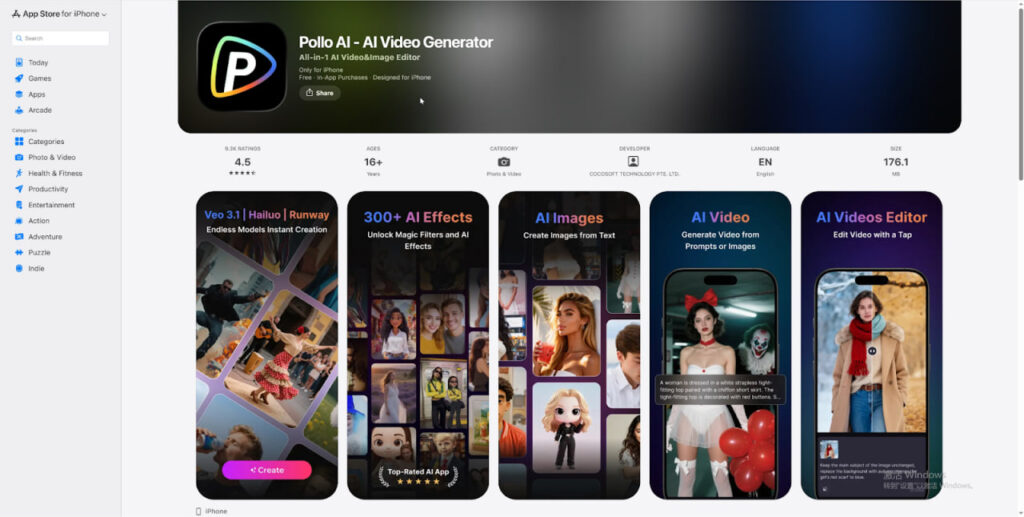
Downloading Pollo AI on the App Store gives creators access to AI-powered video generation directly on their iPhone, eliminating the need to switch to a desktop for content creation. The app is designed for mobile-first use, with an interface optimized for phone screens and workflows built around the way creators actually work on their devices. Having generation, editing, and publishing capabilities all accessible from the same device means fewer interruptions and a faster path from idea to published content.
Common Mistakes Mobile Creators Should Avoid
While mobile workflows offer tremendous flexibility, a few common pitfalls can undermine the quality and consistency of your output.
Over-editing on a small screen is one of the most frequent mistakes. Phone screens make it difficult to judge fine details like color accuracy, text readability, and motion smoothness. What looks perfect on a five-inch display may appear over-saturated, poorly cropped, or visually cluttered when viewed on a tablet or desktop monitor. The solution is to keep your edits simple and purposeful. Apply minimal color correction, use clean text overlays, and resist the urge to add effects just because they are available.
Ignoring platform-specific formatting is another common error. Posting a horizontal video to Instagram Reels or a square clip to TikTok immediately signals to viewers that the content was not created with their platform in mind. This reduces engagement and can hurt algorithmic distribution. Always create or export your content in the correct aspect ratio for your target platform before publishing.
Audio quality is often overlooked by mobile creators who focus primarily on visuals. Background noise, wind interference, and inconsistent volume levels can make otherwise strong content feel unprofessional. If your video includes spoken narration or ambient sound, invest in a small clip-on microphone for your phone. If your content is primarily visual, choose background music carefully and ensure it complements rather than competes with the imagery.
Conclusion
The mobile-first creator economy is not a future trend — it is the current reality. Creators who build efficient, repeatable workflows on their phones are able to publish more consistently, respond to trends more quickly, and maintain creative momentum without being tied to a desk or a specific set of equipment. The tools available today, from advanced smartphone cameras to AI-powered platforms like Pollo AI, make it possible to produce professional-quality video content entirely from a mobile device. The creators who thrive are the ones who treat their phone not as a limitation but as a complete production studio. Start by defining your workflow, choose the tools that fit your creative process, and commit to consistency. The rest will follow.