
RAM is the spec everyone talks about when comparing VPS plans. It’s also the spec most people get wrong. Too little and things crash. Too much and you’re paying for resources the application never touches.
How VPS RAM Works
Memory on shared hosting can be difficult to predict because multiple accounts rely on the same resource pool. With a VPS, the situation is much simpler. Your 4 GB allocation belongs exclusively to your virtual server and remains available regardless of activity elsewhere on the host.
PCMag’s hosting comparison guides have pointed to this dedicated allocation as one of the primary reasons businesses choose VPS over shared hosting. Predictable resources lead to predictable performance.
That predictability matters especially for applications where memory pressure causes slowdowns rather than crashes — databases, game servers, and background processing tasks all behave differently under RAM constraints.

VPS 1GB RAM: What It’s Actually Good For
A vps 1gb ram plan is more capable than it sounds for the right workloads:
- Static websites with moderate traffic
- Small API backends with low concurrency
- Personal projects and development environments
- Lightweight Discord or Telegram bots
- VPN servers for personal use
What a vps 1gb ram cannot handle reliably: database-heavy applications, game servers with multiple players, Node.js apps with heavy dependencies loaded at startup, or anything requiring a full desktop environment.
VPS 4GB RAM: The Most Versatile Starting Point
The right vps hosting servers configuration starts with understanding what your workload actually needs — not what sounds safe on paper, and for most small production workloads, 4 GB is where things start to feel comfortable. This allocation handles:
- Minecraft vanilla server with 5–15 players
- Small e-commerce site with a database backend
- Multiple concurrent Docker containers
- A SaaS application in early production
- A game bot plus a web dashboard running simultaneously
Community feedback collected from r/selfhosted points toward 4 GB VPS machines being the configuration most hobby developers rely on for hosting compact production applications. It’s enough to avoid constant memory pressure without overpaying for unused capacity.
As cloud infrastructure expert Kelsey Hightower has put it: “Start with what you need, not what you fear you might need.” A 4 GB VPS with easy upgrade paths beats an 8 GB plan you’ll outgrow differently.
Reading Memory Pressure Correctly
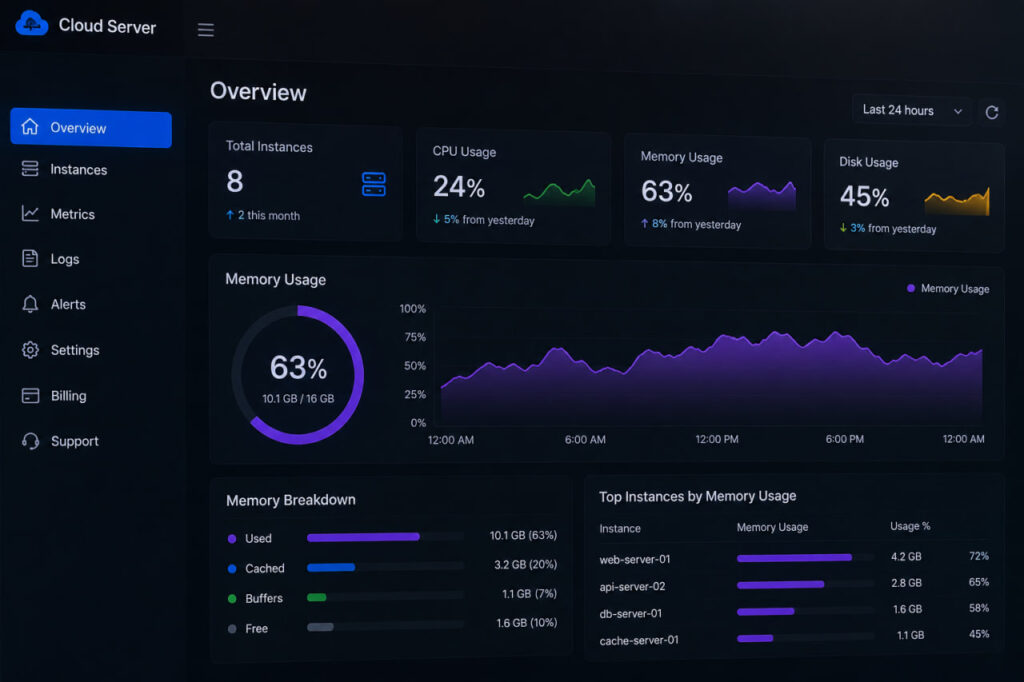
Free RAM sitting unused isn’t actually a sign of a healthy server — it usually just means the OS hasn’t needed to cache anything yet. The more useful number to watch is swap usage over time. Occasional small swap spikes during a backup job are normal. Consistent, growing swap usage during regular traffic is the real warning sign that the current RAM allocation is undersized, well before the server actually crashes. Wired’s coverage of infrastructure monitoring practices has made this same distinction raw utilization graphs without context tend to mislead more than they inform, and swap trends tell a more honest story than a single RAM percentage snapshot.
Don’t rush into adding more RAM after seeing one scary graph. Servers have busy days. Backups run. Updates happen. Looking at memory trends over a few weeks usually gives a much better idea of whether the workload is actually growing or whether it was just a temporary event.
Scaling RAM Without Migrating Your Server
The strongest VPS providers make scaling RAM fairly painless, often without rebuilding everything. It’s smart to check how upgrades work because some hosts still require replacing the instance completely. For many applications, 2–4 GB offers the best balance. Increase memory only after usage metrics repeatedly show sustained pressure. The numbers usually tell a clearer story than the application’s documentation does.